Camera FV-5
FGAE AppsPhotography
4.12.12K Reviews
- Version
- Varies With Device
- Installs
- 500.00K
- Age Rating
- Everyone
Screenshots
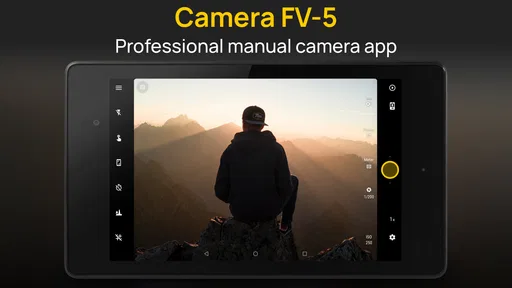
Our Review of Camera FV-5
 Analysis by Appyee
When I want more control than a phone’s default camera gives me, I reach for Camera FV-5. It is a photography app from FGAE Apps built around manual shooting, and I find it most useful when I have a reason to choose the settings myself rather than simply tap the shutter and hope the phone gets the look right.
Where manual control makes a difference
For a quick snapshot, the camera already built into a phone is often the easier choice: it is familiar, fast to open and designed to make automatic decisions. This app is for a different mood. I use it when light is tricky, a scene is changing, or I want a repeatable look across several photographs. Its controls invite me to slow down and decide how the image should be exposed instead of treating the phone’s automatic result as final.
A useful everyday example is photographing a friend near a bright window. A phone may expose for the window and leave the person too dark, or brighten the person while washing out the view. I can use exposure compensation to steer the result, then adjust other settings if the scene calls for it. That does not guarantee a perfect image, but it gives me a more direct way to respond than repeatedly tapping around the frame and hoping the automatic exposure settles where I want it.
Who will get the most from it
I would recommend it to curious phone photographers who want to understand how ISO, shutter speed, focus and white balance affect a picture. It can also suit someone who already knows those ideas and wants more hands-on control without carrying a separate camera for every casual outing. The app’s appeal is not that it makes every photo better automatically; it is that it gives the photographer more decisions to make.
It is less suitable if you mainly take quick pictures of moving children, pets or spontaneous street moments and do not want to adjust settings first. In those situations, a default camera’s automatic processing may be more convenient, and a fast shot can matter more than precise control. I would also think twice if you prefer a minimal interface: having manual options close at hand is useful only when you are willing to learn what they do.
Using Camera FV-5 in practice
As a paid photography app, it costs $4.99, so I would decide based on whether I expect to use its controls regularly rather than on the promise of a professional-sounding feature set. It has a 4.1 average from around 19,000 ratings, with roughly 2,100 written reviews and over 500,000 installs. Those figures give a sense of its audience, but the better test for me is whether its approach fits the way I actually take pictures.
A considered alternative to automatic camera apps
Compared with a typical phone camera, the main trade-off is clear: automatic apps reduce the work between seeing a moment and capturing it, while Camera FV-5 puts more of that work in my hands. That extra control is valuable for deliberate portraits, still scenes, experiments with light and situations where I want to learn from the result. It is not a universal upgrade for every phone or every subject; for quick snapshots, the simpler option can be better.
There is another practical distinction from editing apps. A photo editor can change an image after capture, but it cannot always recover detail or motion that was lost when the original exposure was made. Setting the capture thoughtfully can give me a better starting point, especially when I plan to edit later. I would still keep editing tools in my workflow when I want to adjust color or composition; this app’s role is to give me more control at the moment I take the picture.
Making the controls work for you
My advice is to change one setting at a time when learning. If a picture looks too dark or too bright, try exposure compensation before changing several controls together. For a subject that is not moving, a slower shutter can be worth exploring, but it also makes camera shake more noticeable. I would brace the phone against something solid or use a stable support when the scene allows it, then check the image before changing more settings.
For a moving subject, the trade-off runs the other way: a faster shutter can help freeze movement, but the image may need more light. ISO and shutter speed are connected choices, so raising one setting to solve a problem can introduce another, such as more visible image noise. This is why I treat manual controls as a set of compromises, not a collection of switches that can all be turned up for a better photograph.
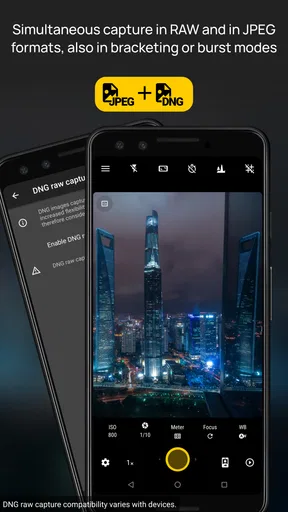
RAW capture is most useful when I expect to edit carefully afterward and want more room to work with the image. It also creates a more involved workflow than taking a ready-to-share picture, so I would not choose it for every casual photo. If I am unsure whether I need that flexibility, I would first compare a few ordinary shots with edited ones and see whether the extra processing actually improves the results I care about.
Learning curve and device-specific expectations
Manual camera apps depend on what a particular phone’s camera hardware and software allow. I would check the controls on my own device and take a few test pictures before planning an important shoot around a setting. That is especially sensible when experimenting with RAW, long exposures or a time-lapse: the feature may give me a new way to work, but a test run helps me understand how the phone handles the result and how much effort the workflow takes.
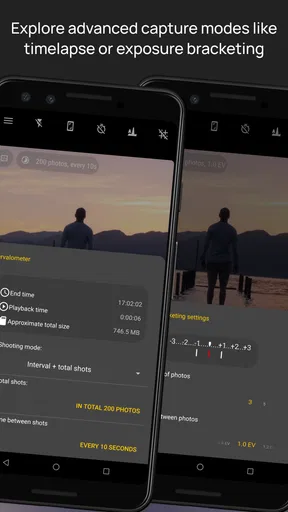
Long exposures are best approached with a steady phone and a still subject. They can be rewarding for light trails or a night scene, but movement from the phone itself can spoil the photograph, and moving subjects will not behave like stationary ones. The intervalometer can help when I want a sequence for time-lapse work; I would plan the framing and keep the phone steady before starting, rather than trying to correct the setup after the sequence is underway.
What its history and audience suggest
Camera FV-5 was released on March 8, 2012, and its continued presence in the photography category makes it a long-running option rather than a brand-new camera experiment. That history can matter to someone seeking a dedicated manual camera app, but it is not proof that every feature will behave identically on every newer phone. I would judge it by how well it works on my device today, not assume that a long history guarantees a particular level of compatibility or future development.
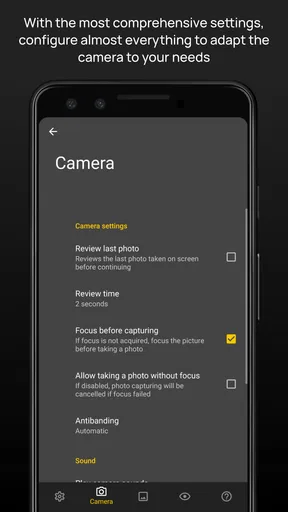
The app is rated for Everyone, though its controls are aimed more at people willing to explore than at users who want the camera to make every choice for them. If I were choosing between it and a basic camera app, I would ask myself whether I genuinely want to adjust exposure and focus, and whether I have time to learn from test shots. If not, the built-in camera is likely to be the more comfortable everyday companion.
What I would keep in mind
The biggest limitation is the extra attention manual shooting asks of me. A setting that helps one scene can hurt another, and an attractive control panel does not remove the need to understand light, movement and focus. There can also be a small but real learning period before changing settings feels quicker than trusting automatic mode. I see that as a fair trade for control, but not one every photographer needs to make.
Before relying on the app for a particular style of photography, I would try the exact workflow at home or on an ordinary outing: capture a still scene, test a moving subject, and see whether RAW editing or a time-lapse sequence fits my routine. That answers the practical questions that matter most—whether the controls suit my phone, whether I enjoy using them, and whether the results justify the extra steps.
So, I recently got my hands on Camera FV-5, and let me tell you, it's like having a DSLR right in your pocket. If you're someone who's passionate about photography but doesn't always want to lug around a hefty camera, this app might just be your new best friend.
First Impressions
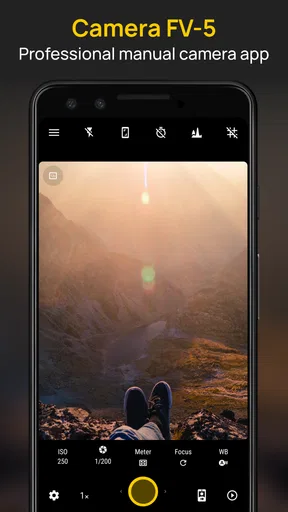
As soon as I opened Camera FV-5, I was greeted with a sleek and intuitive interface. The app is designed to mimic a professional camera interface, which is super cool because it makes you feel like a pro photographer even if you're just snapping pics on your phone. The layout is clean, and all the controls are right where you'd expect them to be, making it easy to navigate.
Features That Stand Out
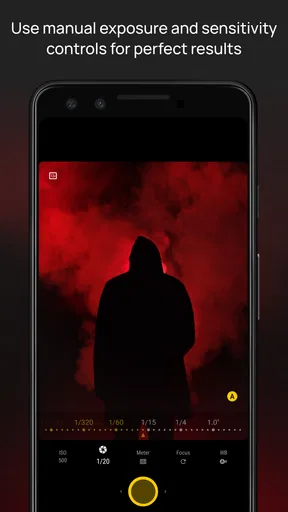
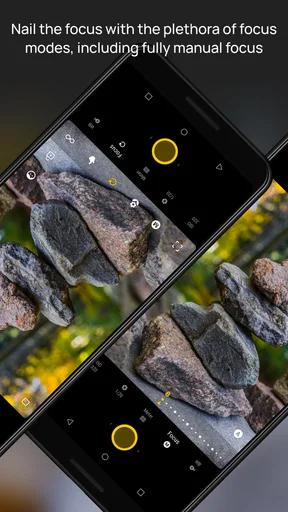
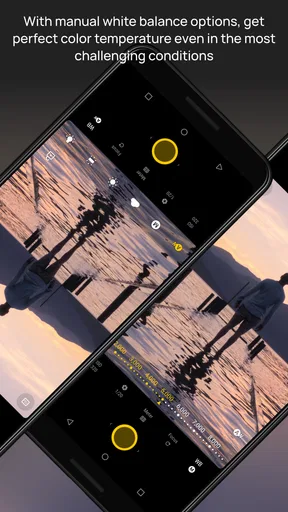
What really caught my attention was the range of manual controls. You can adjust ISO, shutter speed, focus, white balance, and exposure compensation. It’s like having all the settings of a DSLR at your fingertips. I was able to tweak the settings to get the perfect shot, whether I was in bright sunlight or dim lighting.
The app also supports RAW capture, which is a huge plus for anyone looking to do serious post-processing. Having the ability to capture images in RAW format means you're not losing any detail, and you have complete control over editing later on.
The User Experience
I found the user experience to be quite smooth. Swiping between different settings is seamless, and the app responds quickly to changes. The viewfinder is also adjustable, allowing you to see exactly what your shot will look like when you tweak the settings. It’s this kind of flexibility that makes using the app feel so much like using a real camera.
There’s also a handy feature for long exposure shots, which I absolutely loved. Capturing light trails or night scenes becomes a breeze, and the results are stunning. The app even has a built-in intervalometer for those looking to shoot time-lapse photography. If you’re into creative photography, this app has got you covered.
Is It Worth It?
Now, you might be wondering if Camera FV-5 is worth your time and investment. From my experience, if you're someone who loves photography and wants more control over your phone's camera, this app is definitely worth checking out. It gives you the tools to explore and experiment, which is what photography is all about.
While the app isn’t free, the price is quite reasonable considering the range of features you’re getting. It’s like paying a fraction of the cost for a DSLR, yet gaining access to a plethora of professional-level controls. Plus, the app is constantly updated, ensuring you get the best performance and new features over time.
Final Thoughts
In conclusion, Camera FV-5 is a powerful tool for anyone looking to take their mobile photography to the next level. It manages to pack in a ton of features without overwhelming the user, striking a perfect balance between functionality and usability. Whether you’re a beginner looking to learn the ropes of manual photography or a seasoned pro wanting a reliable mobile option, this app is a fantastic choice.
So, if you’re itching to explore the world of mobile photography, give Camera FV-5 a shot. You might just find yourself leaving your bulky camera at home more often!
Verdict
Strengths of Camera FV-5
- Professional-grade manual controls.
- Supports RAW format for quality editing.
- Customizable user interface.
- Exposure bracketing for HDR photos.
- Long exposure support for night shots.
Limitations of Camera FV-5
- Steep learning curve for beginners.
- Inconsistent performance on some devices.
- Limited free version features.
- Occasional app crashes reported.
- No built-in photo editing tools.
Other Releases by FGAE Apps
View All
Cinema FV-5
Photography2.8
Similar Picks in This Category
View All
Google Photos
Google LLC4.4

Gallery
Google LLC4.2

Picsart AI Photo Editor, Video
PicsArt, Inc.3.9

B612 AI Photo&Video Editor
SNOW Corporation4.1

BeautyPlus-Selfie Photo Editor
PIXOCIAL TECHNOLOGY (SINGAPORE) PTE. LTD.4.5

Remini - AI Photo Enhancer
Bending Spoons4.1
Frequently Asked Questions
What features make Camera FV-5 stand out from other camera apps?
Camera FV-5 is renowned for its professional-grade features that turn your smartphone into a DSLR-like camera. It offers manual controls over exposure, ISO, shutter speed, and focus. Additionally, it supports RAW format for high-quality images, making it ideal for photography enthusiasts seeking more control over their shots.
Is Camera FV-5 suitable for beginners in photography?
While Camera FV-5 is packed with advanced features, it is designed to be user-friendly, making it accessible for beginners. The app provides a straightforward interface with customizable settings, allowing users to experiment and learn. However, those new to photography might need to spend time familiarizing themselves with the controls.
Does Camera FV-5 support video recording?
Camera FV-5 focuses primarily on still photography and does not support video recording. It is designed for users who want to capture high-quality images rather than videos. If video capabilities are essential, users might need to consider additional apps for that purpose.
What are the compatible devices for Camera FV-5?
Camera FV-5 is available for both Android and iOS devices. However, to utilize its full range of features, it's best used on devices with more advanced hardware capabilities. Compatibility can vary, so it's recommended to check the app store for specific device requirements and ensure your device is running the latest operating system version.
Are there any in-app purchases or ads in Camera FV-5?
Camera FV-5 offers a premium experience with no ads, ensuring an uninterrupted user experience. The app is available for a one-time purchase, providing access to all features without additional in-app purchases. This makes it a cost-effective choice for those seeking a professional camera app without ongoing costs.
